Fridge call
You can connect your smartphone with Calendar through Bluetooth to send and receive a phone call on Calendar.
NOTE
- You must connect your smartphone with Family Hub through Bluetooth to use the Fridge call function.
- You must turn on the speaker mode in Settings — Connections — Bluetooth and speaker menu.
- When setting the Bluetooth connection, agree to “Allow Calendar to access your call records” on your smartphone.
To make a call
Tell Bixby to “Call OO”, and Calendar will automatically make a phone call to that contact.
Incoming call
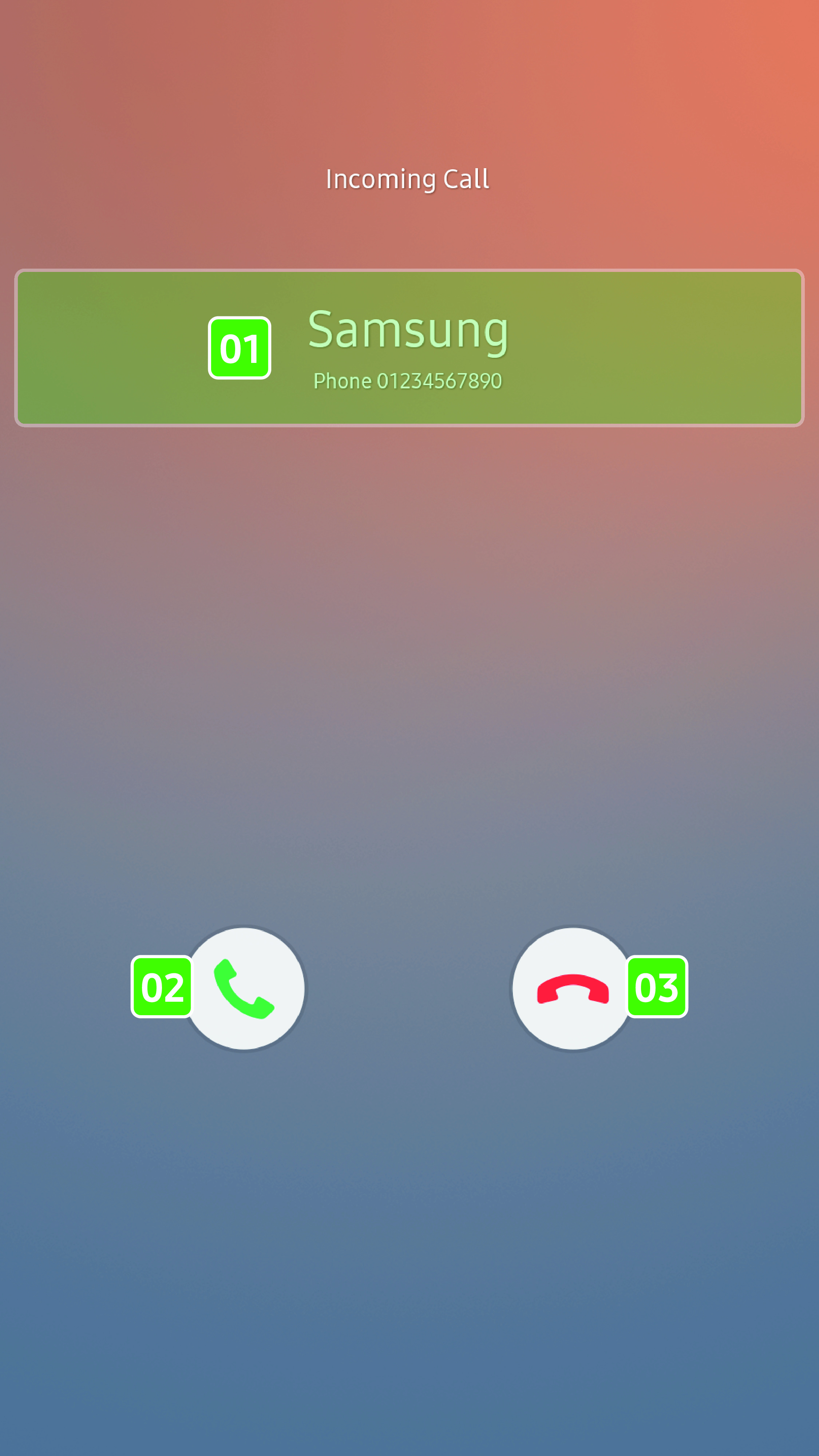
- 01 Caller information
-
- You can check the caller information.
- 02 Answer
-
- Tap to answer a call.
- 03 Decline
-
- Tap to decline a call.
Call screen description
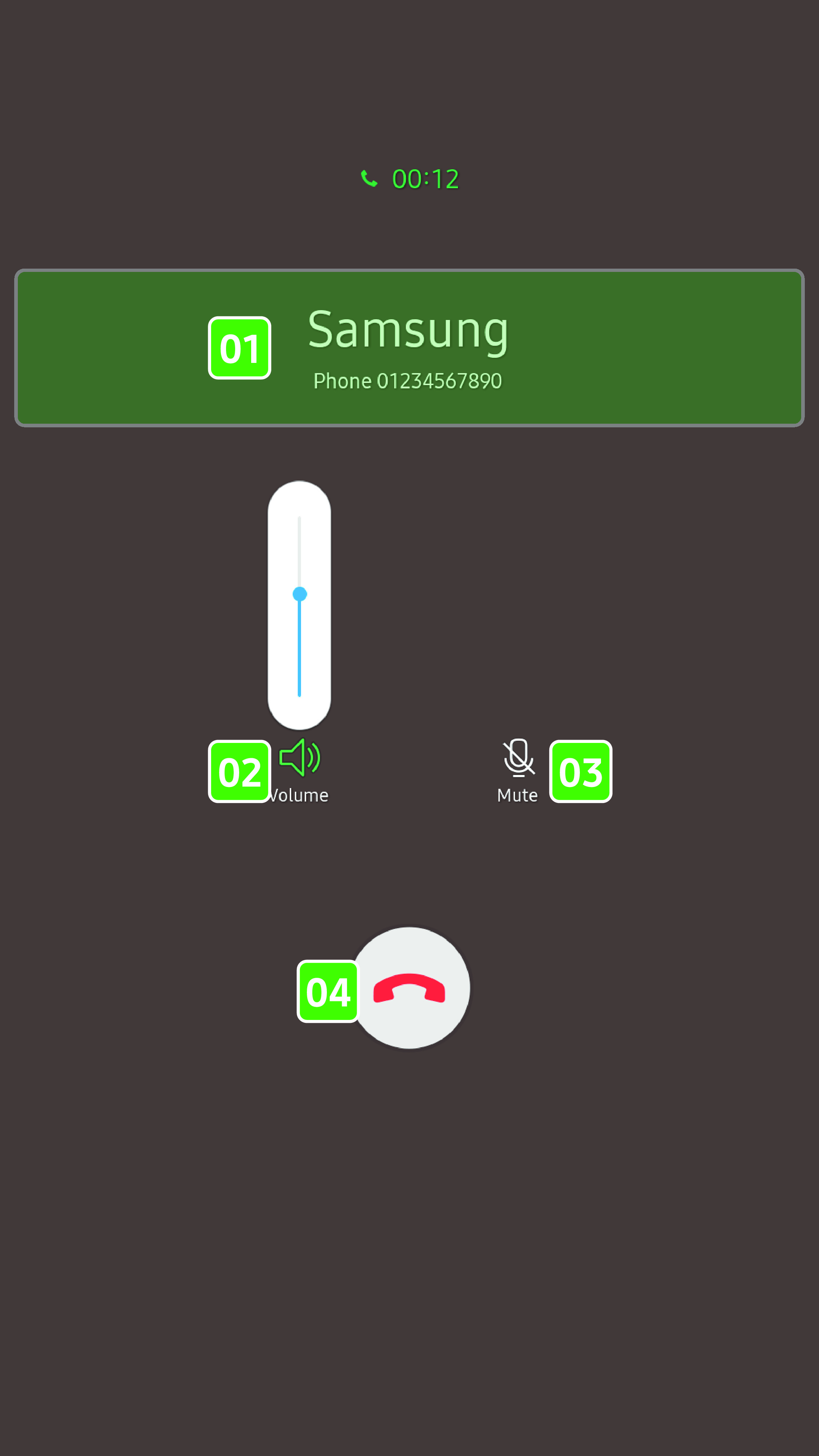
- 01 Caller information
-
- You can check the caller information as well as call time.
- 02 Volume
-
- Tap to display the volume control slider. You can drag the slider up and down to adjust the volume.
- 03 Mute
-
- Tap to mute and unmute the sound.
- 04 End call
-
- Tap to end a call.